Skip to content
Wortgenau

Wortgenau

Text word by word at one fixed point: your eyes stop jumping, you simply keep looking. Honest about speed – no “read three times faster”.

  • Free to use
  • No account
  • No ads
  • No subscription

Coming soon to Google PlayWortgenau has been submitted and is awaiting approval.

For Android 8 or later.

Sample of the word display with this text: Wortgenau shows you a text word by word at one fixed point. Your eyes no longer have to jump. The red letter marks the recognition point of every word. Long words stay a little longer, and the display pauses briefly after each sentence. Comprehension stays intact up to about 350 words per minute.

How it works

Get a text, pick a speed, look

  1. Get a text

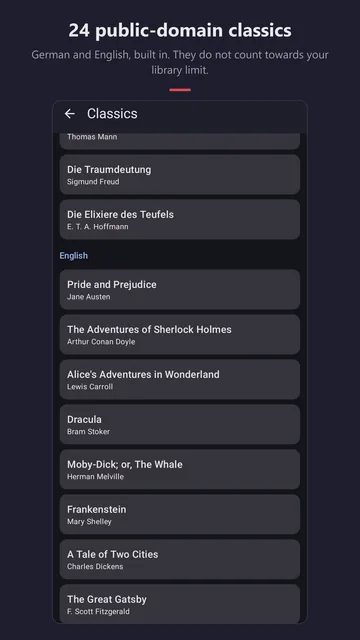
    Share an article from another app, paste a URL, open a text file or choose one of the 24 public-domain classics.

  2. Pick a speed

    The speed slider shows the zones from research. A short baseline test measures your natural pace and recommends a starting speed; a gentle ramp lets you start slower.

  3. Read

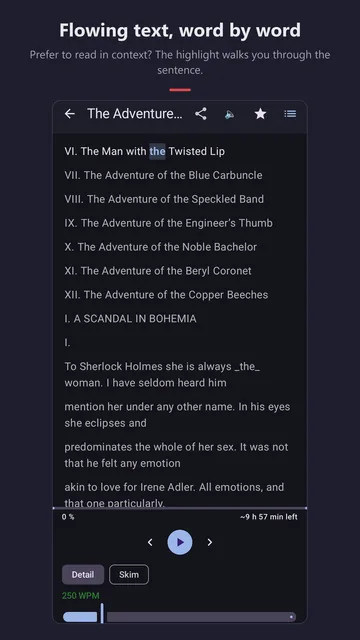
    A swipe to the right replays the sentence – re-reading is part of understanding. Prefer context? Flow mode highlights the current word within the whole paragraph.

up to ≈ 350words per minute: comprehension stays intact.
from 400words per minute: comprehension measurably drops.
250words per minute: the app’s default.

Features

Fully usable for free

Free

  • RSVP mode and flow mode with a moving word highlight
  • Share articles from any app or paste a URL
  • Open text and TXT files, keep up to five of your own documents
  • 24 public-domain classics in German and English – they don’t count towards the limit
  • Rare words automatically get more time
  • “Detail” and “Skim” presets, speed ramp, eye-break reminder
  • Baseline test and training levels 1 and 2 with comprehension questions
Accessible – never behind the paywall

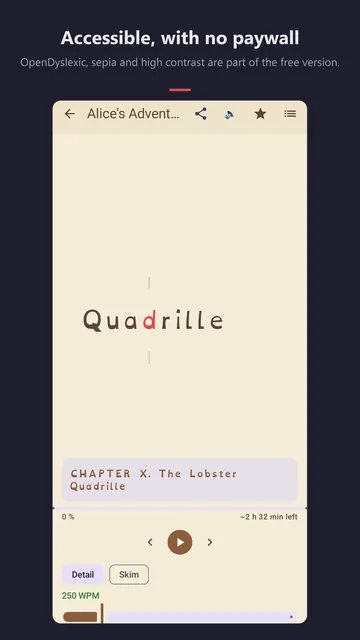
  • OpenDyslexic typeface and maximum-contrast theme
  • TalkBack with custom actions for previous and next sentence
  • Volume-key control
  • Light, dark and sepia themes, adjustable text size

Full version – one-time

  • Import EPUB, PDF, DOCX, FB2 and HTML
  • Link an EPUB folder: new books appear automatically, with chapter navigation
  • Unlimited documents
  • Read aloud using your device’s speech engine, with follow-along highlight
  • 2 to 3 words per flash, aligned to punctuation
  • Statistics with daily goal, reading streaks and a 12-week overview
  • Training levels 3 to 10, bookmarks, fixation highlighting
  • Backup and restore as a file

Screenshots

Take a look

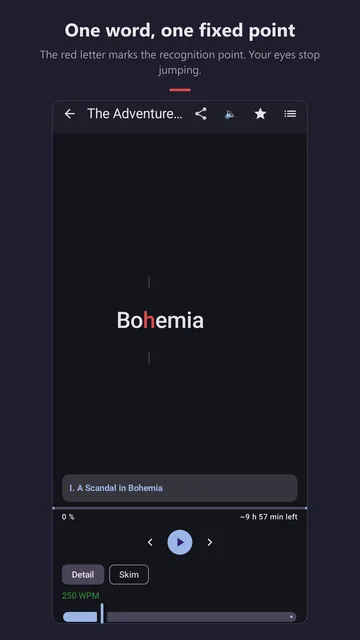
  • Reading view from “The Adventures of Sherlock Holmes”: the word “Bohemia” between two target marks, the h in red, below it the speed slider at 250 WPM.
    One word, one fixed point
  • Flow mode: the table of contents and opening of a Sherlock Holmes story, the current word is highlighted.
    Flowing text, word by word
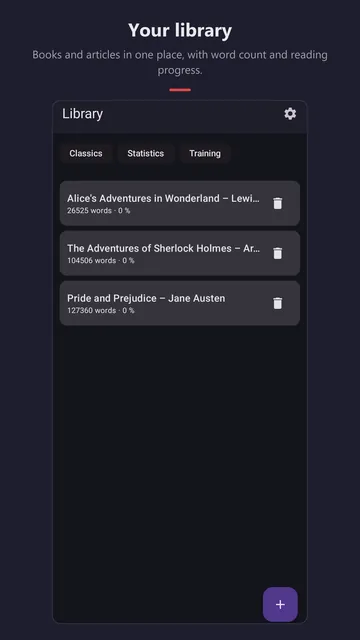
  • Library with “Alice’s Adventures in Wonderland”, “The Adventures of Sherlock Holmes” and “Pride and Prejudice”, each with word count and progress.
    Your library
  • Reading view in the sepia theme with OpenDyslexic: the word “Quadrille” from “Alice’s Adventures in Wonderland”, the d in red.
    Accessible, with no paywall
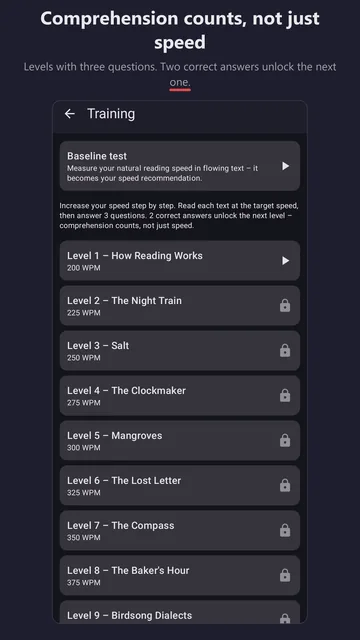
  • Training: baseline test at the top, below it levels from 200 to 400 words per minute; from level 2 on with a lock.
    Comprehension counts, not just speed
  • List of classics, including “Pride and Prejudice”, “Dracula”, “Moby-Dick”, “Frankenstein” and “The Great Gatsby”.
    24 public-domain classics
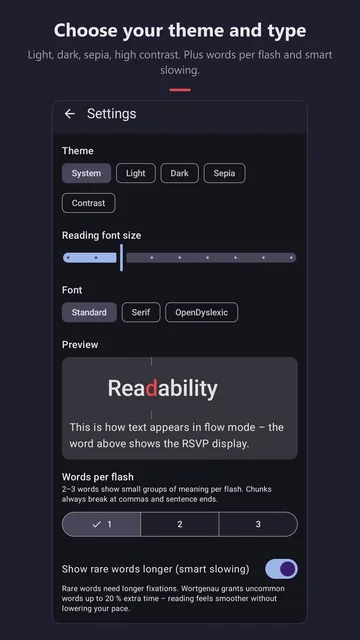
  • Settings: theme System, Light, Dark, Sepia or Contrast, reading font size, font Standard, Serif or OpenDyslexic, preview and words per flash.
    Choose your theme and type

Who is it for?

For anyone who wants to read with focus

Article readers

Share that long article from your browser and read it in peace – no ads around it, no distractions from the page.

Bookworms

Classics for free, your own e-books with the full version: link an EPUB folder, jump to chapters, set bookmarks, build streaks.

People who read better differently

OpenDyslexic, sepia, maximum contrast, large text, TalkBack and volume keys are free – they are never behind a paywall.

Anyone curious about their pace

The baseline test measures your natural pace. The training levels raise it step by step – you only move on with two correct answers out of three. Levels 1 and 2 are free, levels 3 to 10 come with the full version.

Pricing

What’s free – and what costs money

No ads, no subscription. The full version is a one-time purchase; texts you already have are never locked.

Free

$0

Reading in both modes, sharing, URL and TXT, all classics, up to five of your own documents, training levels 1 and 2 and everything for accessibility.

Full version

$4.89

All file formats, unlimited documents, read-aloud, several words per flash, statistics, all training levels, bookmarks and backup.

Price in the United States as of October 2026 (in Germany: 4.99 €). The price Google Play shows at checkout is binding.

FAQ

Frequently asked questions

Will I read three times faster?

No, and Wortgenau doesn’t promise that. Studies show that comprehension stays intact up to about 350 words per minute and measurably drops above 400. Wortgenau shows you these zones right on the speed slider.

Do I need an internet connection?

Only to fetch an article from a URL and to download a classic from Project Gutenberg the first time you open it. After that the text is on your device and you read offline.

Which files can I open?

Free: shared text, text from the clipboard, articles via URL and TXT files. With the full version also EPUB, PDF, DOCX, FB2 and HTML.

Is Wortgenau available for iPhone?

No, Wortgenau is only available for Android.

Does the app collect data?

No ads, no account, no data collection. Your library stays on your device. The details are in the privacy policy (German).

I got a new phone. Is my purchase gone?

No. The purchase is tied to your Google account; “Restore purchase” brings it back on the new device. With the full version you can also take your library along as a backup file.

Which languages does the app support?

The interface is available in English and German, and so are the classics.

I have a question or found a bug.

One word. One point. Calm.

Free, no account, no ads. Wortgenau is coming soon to Google Play.